
Microsoft 365 Migration Services in Pennsylvania
Experience a smooth transition to Microsoft 365 without worrying about downtime, lost files, or frustrated employees. We take the stress out of migration, so your team stays productive from start to finish.
Avoid Downtime and Confusion with Our Migration Services
When businesses in Pennsylvania consider moving to Microsoft 365, the stakes are high: interrupted workflows, inaccessible data, and wasted hours can seriously impact operations. Many companies struggle with aging servers, hybrid work demands, and strict compliance regulations. At Dwyer IT, we handle the entire migration process, transferring data, configuring environments, and preparing teams, so your business avoids disruption and your employees can start using Microsoft 365 efficiently from day one.
What Our Microsoft 365 Migration Delivers
Securely transfer emails, files, and user accounts with zero data loss.
Configure Teams, SharePoint, and OneDrive for immediate productivity.
Set up security policies to meet healthcare, finance, and legal compliance.
Train staff on platform features to minimize learning curves.
Implement hybrid work tools so remote employees stay connected.
Optimize admin settings to reduce IT maintenance and overhead.
Provide post-migration support for troubleshooting and guidance.
For organizations that prefer continued oversight beyond migration, our managed IT services provide ongoing monitoring, security management, and Microsoft 365 administration under one structured support model.

"Dwyer IT has proven to be creative, thorough, and very responsive to our practice. We are very happy with the improvements that have occurred since we hired the Dwyer Team."
DR. MICHAEL T. DACHOWSKI
Owner - The Oral Surgery Group

"Dwyer IT has been a game-changer for our dental practice's IT needs. They seamlessly integrated our systems, ensuring smooth operations and secure patient data management. With their proactive maintenance and responsive support, they've minimized downtime, allowing us to focus on patient care. Highly recommend Dwyer IT for any dental practice seeking reliable IT solutions."
DR. ASHLEY MCDOWELL D.M.D.
Owner - McDowell Dental & Aesthetics

"Knowledgeable in all areas of System Administration, Networking, and IT infrastructure. Can't recommend enough."
WILL R.
Principal Application Architect - Independent Pharmacy Alliance
How We Structure Our Microsoft 365 Migration Services
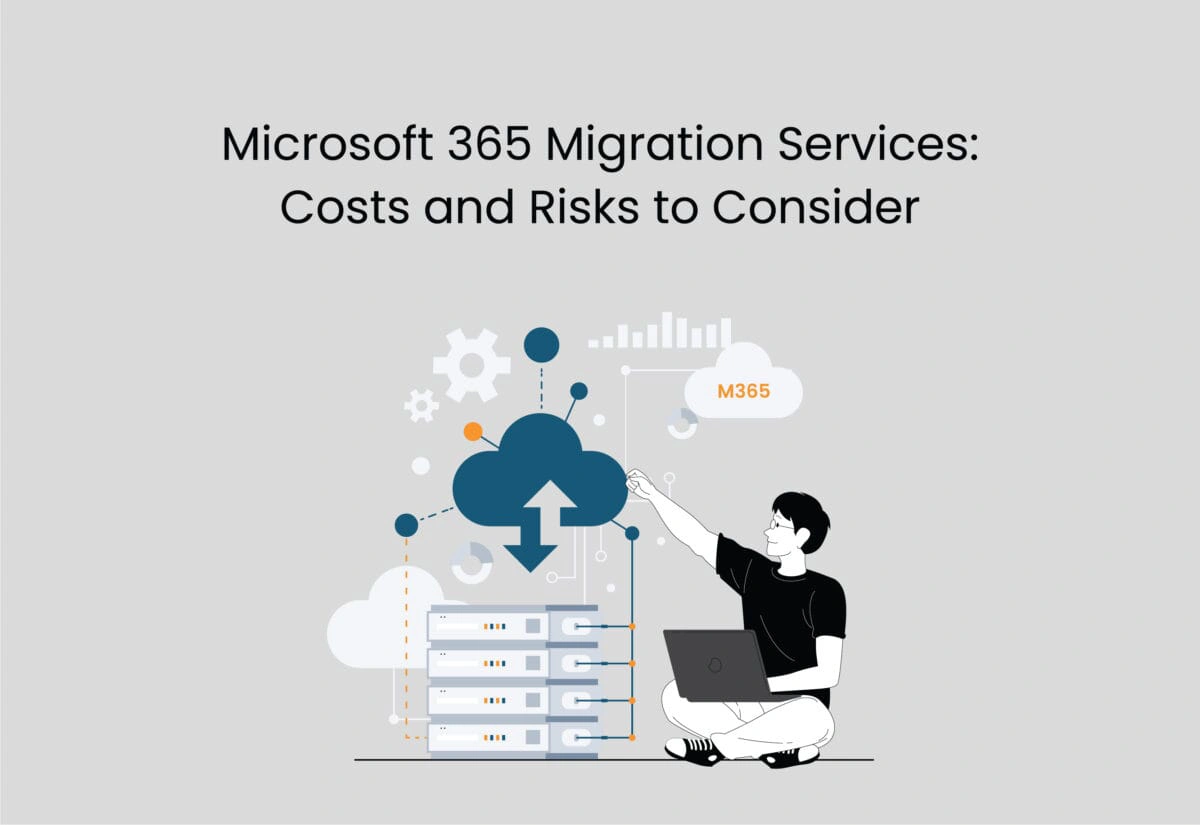
A successful Microsoft 365 migration depends on more than moving data. Our approach combines strategic planning, technical execution, and user enablement to ensure your business gains productivity, security, and continuity from day one.

Environment Audit
We thoroughly examine your current systems, identifying potential conflicts, dependencies, and gaps so every email, file, and integration transfers correctly without unexpected downtime or workflow disruptions during migration.
Custom Migration Plan
A tailored roadmap defines what moves, when, and how, coordinating schedules with business operations to prevent interruptions and ensure critical functions continue seamlessly throughout the transition.

Secure Data Transfer
We move all emails, files, and shared resources while enforcing the correct permissions, security settings, and compliance protocols, guaranteeing data integrity and reducing exposure to risks or breaches.

Team Enablement
Employees receive targeted training and documentation on Microsoft 365 tools, helping them quickly adapt to the new environment while maximizing collaboration, efficiency, and confidence across the organization.




What Happens When Migration is Handled Without a Plan
When Microsoft 365 migration is handled without a structured process, the gaps show up fast. Emails from importantl accounts don't carry over. Files end up in the wrong places. Users can't find what they need because the folder structure they relied on wasn't rebuilt in SharePoint. These aren't minor inconveniences. They're disruptions that take days or weeks to untangle, and they fall on your team to deal with.
Migrations handled without proper planning tend to run long. Cutover windows stretch past their scheduled end time. Email goes down unexpectedly. Teams show up to work and can't access the systems they need. A day of downtime during a busy period can cost your business far more than the migration itself.
Why Businesses in Pennsylvania Trust Dwyer IT for Microsoft 365 Migration
Businesses often struggle with slow workflows, misaligned systems, and disruptions when moving to Microsoft 365, especially without a clear plan or guidance from a local IT company that understands Pennsylvania’s regulatory and operational environment.
At Dwyer IT, we start by understanding your current environment, team size, data complexity, and operational needs to create a tailored migration approach. Our discovery phase audits your systems, email, file storage, and integrations to identify potential challenges before they arise.
From there, we design a migration plan that fits your schedule, aligns with your security requirements, and ensures your team can adopt Microsoft 365 efficiently. The result is seamless data transfer, secure configurations, and minimal downtime. Employees experience a smooth transition with training and support, while your business gains enhanced collaboration, productivity, and ongoing IT reliability.
How Microsoft 365 Migration Changes the Way Your Business Works
1
Less Worries About Email Interruptions
When Microsoft 365 migration is handled correctly, your team moves from their old email environment to Exchange Online without losing message history, contacts, or calendar data. The transition is structured so your email stays operational throughout the process.
2
Licensing That Matches Your Business
During our Microsoft 365 migration services engagement, we review your licensing options and match your team to the plans that cover what you need without paying for what you don't. IT services that include licensing review often uncover savings that offset the cost of the migration itself.
3
Integrated Cybersecurity
Microsoft 365 includes security features that many businesses across Pennsylvania don't take full advantage of because they weren't configured at the time of setup. Our Microsoft 365 migration services ensure those protections, including multifactor authentication and conditional access, are in place from the start rather than added later.
4
Ongoing Support After the Move
Microsoft 365 migration is the beginning, not the end. Our IT support stays available after the migration is complete to address questions, troubleshoot any issues that come up in the first weeks, and help your team get the most out of the platform going forward.
Your Trusted Partner For Microsoft 365 Migrations Services
If your business is evaluating Microsoft 365 migration, the right time to start planning is before the pressure to act becomes urgent.
We work with businesses of all sizes across Pennsylvania to make Microsoft 365 migration services straightforward, low-disruption, and built around how your team works.
Reach out today, and let's put a plan together.
Frequently Asked Questions About Outsourced IT Support in Bucks County
What is outsourced IT support?
Outsourced IT support means your business gets a dedicated external team handling your technology needs instead of managing IT in-house. This covers everything from daily helpdesk requests to network monitoring, cybersecurity, and technology planning. We provide outsourced IT support as a fully managed service, meaning we handle the day-to-day operations of your IT environment so your team does not have to.
How is outsourced IT support different from hiring an in-house IT person?
With an in-house hire, you get one person with one skill set and one salary plus benefits. Outsourced IT support gives your business access to a full team with a broader range of skills, better tools, and consistent availability at a predictable monthly cost. When your in-house person is out sick or on vacation, support stops. With our team, coverage continues.
What types of businesses use outsourced IT support?
Businesses of all sizes and industries use outsourced IT support, though it is especially common for small to mid-sized businesses that need reliable technology coverage without the overhead of a full IT department. We work with professional services firms, healthcare-adjacent businesses, light industrial operations, and other organizations looking for dependable IT services.
Is outsourced IT support secure for our business data?
Yes. Our IT support practices include security-focused protocols for accessing your systems, handling credentials, and managing your data. We apply the same security standards to how we work in your environment that we recommend for your own team.
Can outsourced IT support scale as our business grows?
Yes. One of the practical advantages of outsourced IT support is that your coverage can grow with your business. Adding users, new locations, or expanded IT services does not require starting over. We build plans with flexibility, so your IT setup stays aligned with where your business is headed.
Frequently Asked Questions About Microsoft 365 Migration Services in Pennsylvania
What is Microsoft 365 migration?
Microsoft 365 migration is the process of moving your business's email, files, calendars, and other data from your current system into the Microsoft 365 cloud platform. It includes setting up your Microsoft 365 tenant, configuring security and access controls, migrating your data, and preparing your team to use the new environment. At Dwyer IT, our Microsoft 365 migration services cover every phase of this process, from initial assessment to post-migration support.
How long does a Microsoft 365 migration take for a small business in Pennsylvania?
The timeline for Microsoft 365 migration depends on the size of your team, the volume of data being moved, and the complexity of your current setup. We build a migration schedule during our pre-migration assessment that accounts for your business's pace and availability.
Will my team experience downtime during the Microsoft 365 migration?
With proper planning, downtime during Microsoft 365 migration is minimized. We schedule cutover windows during off-hours when possible and design the migration sequence to keep your team working throughout the process. Our IT support is available during and after the cutover to address any issues that come up.
What data gets moved during a Microsoft 365 migration?
Our Microsoft 365 migration services move email, contacts, calendars, and shared files. We also configure SharePoint, OneDrive, and Microsoft Teams during the migration process. Any third-party integrations that need to connect with your Microsoft 365 environment are addressed during the pre-migration planning phase.
Do you help with Microsoft 365 security setup during the migration?
Yes. Security configuration is part of our Microsoft 365 migration services, not an add-on. We configure multifactor authentication, conditional access policies, and other Microsoft 365 security features as part of the migration process. Cybersecurity is a concern we take seriously for every business we work with across Pennsylvania.
Unlock Your Practice's
AI Edge Today!
Schedule a FREE IT Consultation.
Services
Copyright © 2026: Dwyer IT. Built in partnership with Tech Pro Marketing. | Privacy Policy | Areas we serve